Custom Extensions
When a flow needs a system FlowRunner™ has no block for - your warehouse database, a model you host yourself, a scoring algorithm nobody else has - a custom extension turns that system into blocks of your own, available to every flow in the workspace. It works in both directions: the same extension can watch that system and hand the flow whatever turns up there, so a run starts, or carries on, the moment something happens on your side.
Start with a quick start
Both quick starts end the same way: an extension of your own, deployed to your workspace and running as a block in a flow. Pick the one that matches how you want the code written.
- Quick Start: Your First Extension (with AI) - install the FlowRunner agents into Claude Code, describe the service in one sentence, deploy what it writes.
- Quick Start: Your First Extension (code) - paste one JavaScript file, run four CLI commands.
The two routes share everything but who writes the module: the same CLI creates the project, the same
reference describes the format, and the same npx flowrunner deploy sends the result to the workspace. The
agents the AI route installs come with the CLI and read that same reference; one writes the service and a
second one writes its tests, so the service is checked by something that did not write it.
Every other page in this section is the detail behind those two paths.
Before you build anything
A missing block is not always a reason to build one. Check the cheaper routes first - the Extensions library and the Marketplace, an MCP server, or an existing flow used as an action - all of which are covered under Custom & Marketplace Actions. Build an extension when none of those reaches the system you need.
What an extension can reach
Your code runs in your workspace's own Cloud Code pod, so an action can reach anything that pod can open a connection to:
- Call a service that has no block yet, with the fields and the response shape your team actually uses.
- Reach a private system inside your own network.
- Send a prompt to a model you host, or one no built-in block covers.
- Run an algorithm that is yours - a pricing rule, a scoring pass, a validation nobody else has.
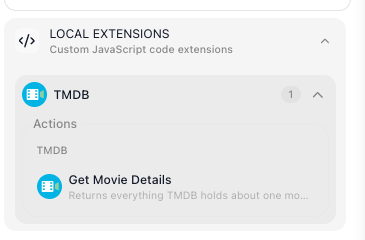
An extension can hold as many actions and triggers as you want, grouped under a category you name. Once it is deployed they sit in the block palette under Custom Extensions:
Where the API key lives
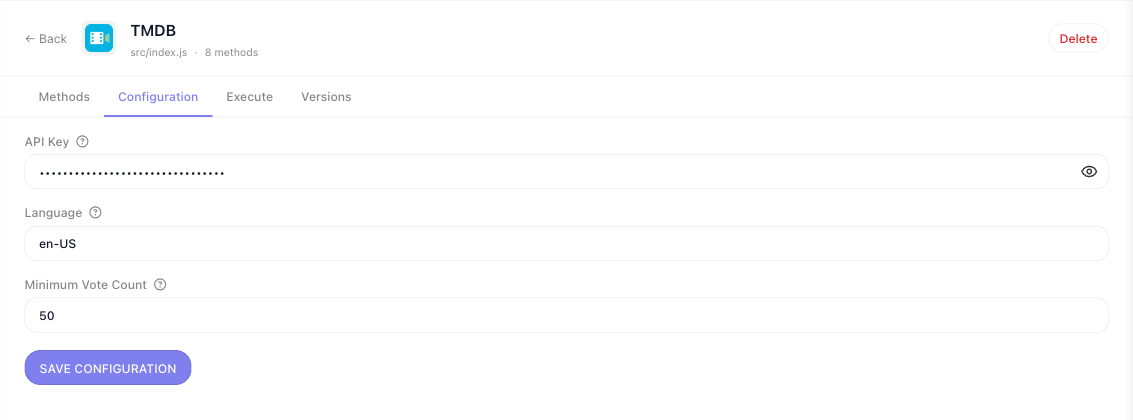
Credentials belong to the workspace, not to a flow. Everything declared in configItems becomes a form on
the extension's own page, filled in once by whoever administers the workspace. Handlers read those values
from config, so a key is never typed into a block and never travels in a flow's data.
What you deploy stays in your workspace
An extension you deploy is visible only in the workspace you deployed it to. The ones already in the palette under Extensions - Airtable, Acumatica, AWS Bedrock and hundreds more - ship with FlowRunner and are available everywhere. Yours is not one of those.
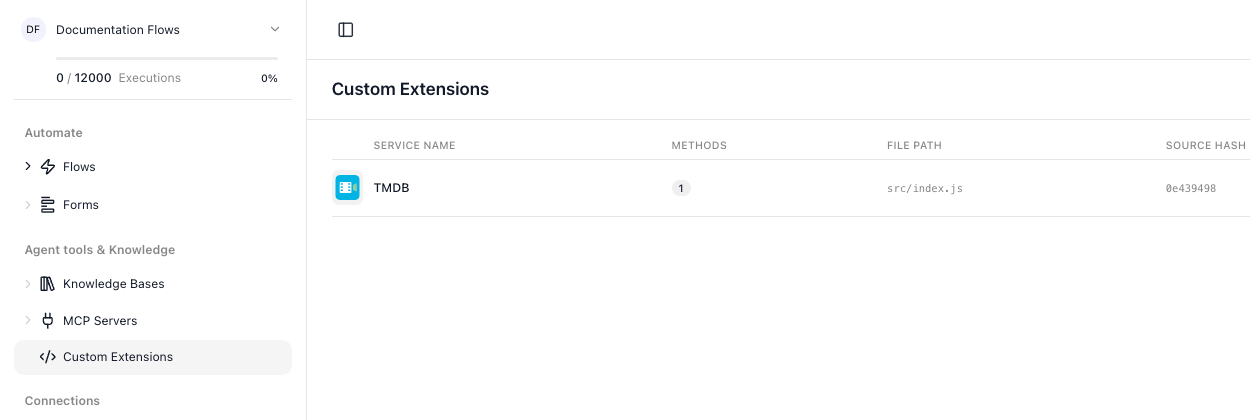
Everything deployed to the workspace is listed under Custom Extensions in the workspace navigation, with the number of methods each one publishes and the source hash of the version running.
The details, by question
Building the module:
- Service Structure -
createExtensionin full: config,initContext,apiRequest, helpers - Parameters & Types - every field type, the widget it produces, and the plugins
- Actions - what a handler receives, what it returns, and how a flow reads it
- Dictionaries - turn an id field into a picker filled from the live API
- Triggers - polling and realtime triggers that hand a flow what they find
- HTTP Requests - the request client and its failures
- Storing Files - a file backend for extensions that need one
Shipping it:
- Testing - the harness that runs your extension with HTTP intercepted
- Deploying & Managing - versions, rollback, configuration, and sharing a workspace
- The FlowRunner CLI - every command and flag
- Troubleshooting - symptoms first, with the cause each one usually has
Related
- Custom & Marketplace Actions - the cheaper routes to a missing block, worth checking first
- Blocks - the categories a custom action joins