Quick Start: Your First Extension (with AI)
When you finish this page, a block of your own, Get Current Weather, sits in the block palette of every flow in your workspace and returns the current weather for a place you pick from a dropdown. You write one sentence; Claude Code writes the service from a reference that ships with the FlowRunner™ CLI, and the CLI deploys it. If you would rather write the code yourself, take Quick Start: Your First Extension (code).
What you need
- Node.js and npm. Node 20 or newer.
- A FlowRunner workspace you can sign in to.
- Claude Code, installed and signed in. The service in this quick start uses Open-Meteo, which needs no API key.
What you are building
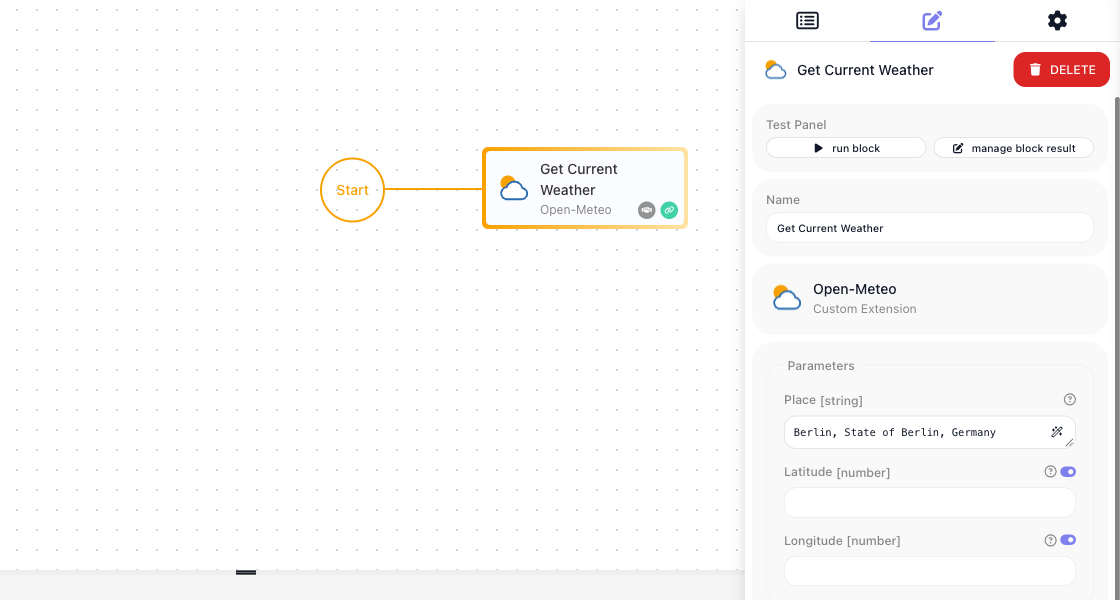
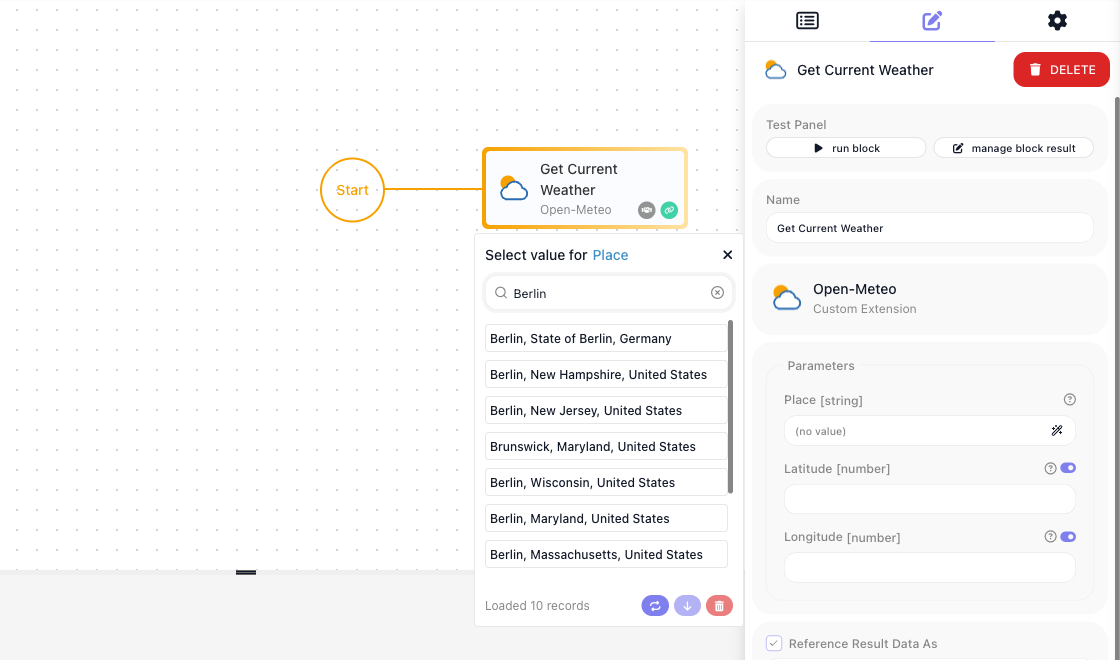
The Get Current Weather block wired after Start, with Berlin picked from its Place dropdown. Run it and Open-Meteo's current weather comes back in the Test Monitor:
1. Create the project
Open a terminal and enter the following command:
The package is @flowrunner/cli; the command it installs is flowrunner, inside the project, which is why
every later command starts with npx flowrunner. If init offers to install the command globally, either
answer works - see The FlowRunner CLI.
2. Connect it to your workspace
Run the following command:
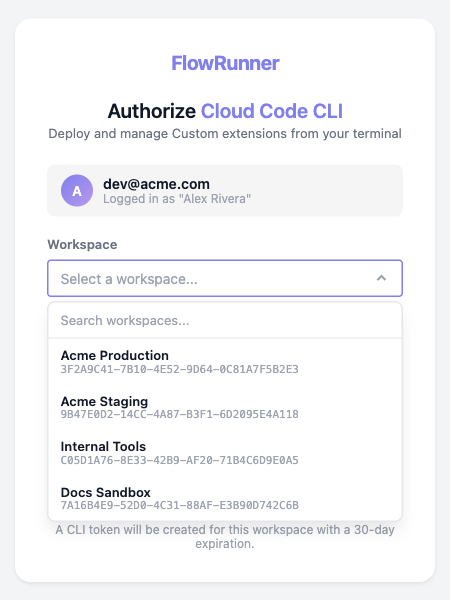
Your browser opens on a page headed Authorize Cloud Code CLI. Pick the workspace this project will deploy to and choose Authorize:
3. Install the FlowRunner agents
Run the following command:
Agents in .claude/agents:

  + flowrunner-service-code-engineer.md
  + flowrunner-service-test-engineer.md

  Created the FlowRunner instructions block in CLAUDE.md.

Next steps:
  1. open CLAUDE.md and check the FlowRunner block reads the way you want
  2. ask Claude Code to build a service — it will pick up the 2 FlowRunner agents
  3. the authoring reference lives in node_modules/@flowrunner/cli/ai-docs/instructions/service-code-format/
Two FlowRunner agents for Claude Code land in the project: one writes a service, the other writes its tests. Both read the authoring reference the CLI installed, so Claude Code knows the service format before you ask for anything.
4. Ask for the service
Open Claude Code in the project and describe the service in one sentence:
I need a service for the Open-Meteo weather API with a Get Current Weather action that takes either a place picked from a dropdown of places looked up by name, or a latitude and longitude.
Approve the file edits and the test run when Claude Code asks. It reads the reference, writes the service and its tests, runs the tests, and reports back, which takes a few minutes. Your run will not match the one shown here line for line: the names, fields and test count come from Claude Code's report, so use the names it gives you. Its report may say it could not call Open-Meteo while writing; the tests run with HTTP intercepted, and the block calls the real API once deployed.
5. The service and tests it wrote
Claude Code created services/open-meteo/:
The end of its report, trimmed:
**What was created** under `services/open-meteo/`:
- `src/index.js` with the service, one dictionary and one action. No config items, since Open-Meteo needs no API key.
- `README.md`, `package.json`, and a `public/icon.svg`.
- `tests/open-meteo.test.js`, socket-mocked, no real API calls.

**How the action works**
- The "Places" dictionary searches the Open-Meteo geocoding endpoint with the text the user types. Options are
  labelled like "Berlin, Berlin, Germany" and their value carries the coordinates, so the action needs no second lookup.
- "Get Current Weather" takes an optional `place` dropdown plus optional latitude and longitude numbers. A chosen
  place wins over typed coordinates. With neither a place nor both coordinates it fails with a clear message.
So the service exposes:
- a Get Current Weather action, which takes a place picked from a dropdown or a pair of coordinates
- a Places dictionary, the list behind that dropdown
- no configuration items, because Open-Meteo needs no key
- a 42-test suite
Run the tests yourself with the following command:
> my-extensions@0.0.1 test
> jest

Test Suites: 1 passed, 1 total
Tests:       42 passed, 42 total
Snapshots:   0 total
Time:        0.478 s, estimated 1 s
Ran all test suites.
Open services/open-meteo/src/index.js if you want to read what it did; you can change anything in it and
deploy again.
6. Deploy it
Run the following command:
Deploying custom extensions...

  Connecting to Flowrunner Prod cluster (https://app.flowrunner.ai)
  Workspace "Acme Production" (3F2A9C41-7B10-4E52-9D64-0C81A7F5B2E3)
  Found 1 service under services/.

  Deploying 1 service:
    - new service: open-meteo (Open-Meteo) - [46b6c1764536] - packaged 11.2 KB

  Deployed 1 service to workspace "Acme Production" (3F2A9C41-7B10-4E52-9D64-0C81A7F5B2E3) — you can use it in a flow.
  Open Custom Extensions screen in the Flowrunner Console to configure it: https://app.flowrunner.ai/app/Acme%20Production/custom-extensions
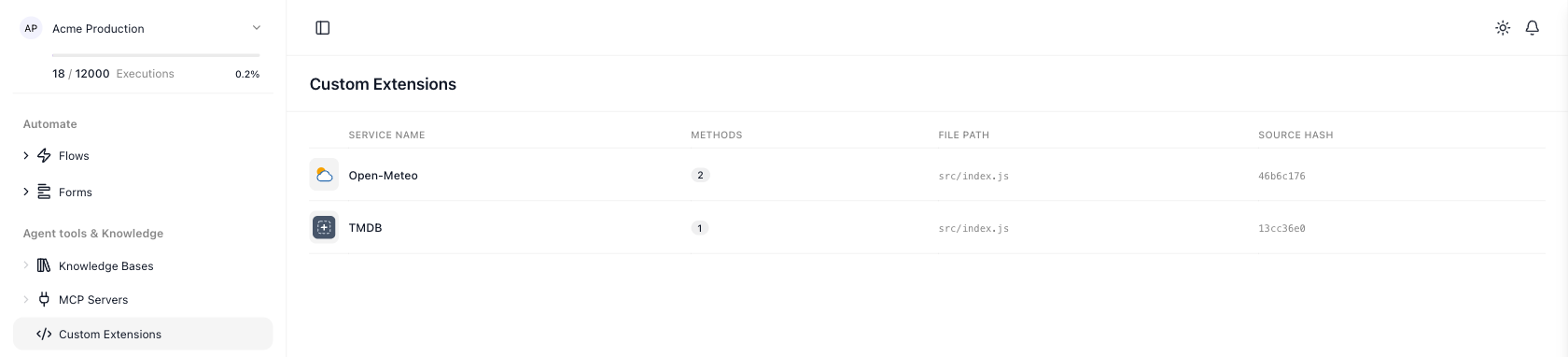
The extension is now listed under Custom Extensions in the workspace navigation, with two methods: the action and the dictionary. The TMDB row is the code quick start's extension in the same workspace:
7. Add the block to a flow
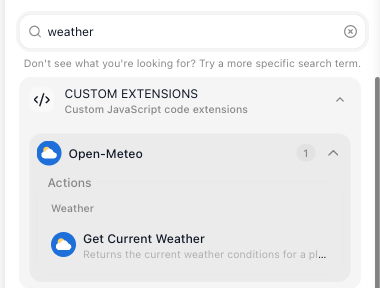
Open a flow, or create one, and type weather into the palette's Search box. Your action sits under
Custom Extensions, in the Open-Meteo group:
Drag it onto the canvas after Start and click the Place field. The picker you asked for opens, headed
Select value for Place: type Berlin into its search box and pick Berlin, State of Berlin, Germany.
Behind the list is the Places dictionary Claude Code wrote, calling Open-Meteo's geocoding as you type. Each
entry's value is the place's coordinates; the name is its label. Leave Latitude and Longitude empty:
8. Run it in the flow
Choose run block in the Test Panel. The Test Monitor shows what you sent, the place's coordinates, and the current weather Open-Meteo returned:
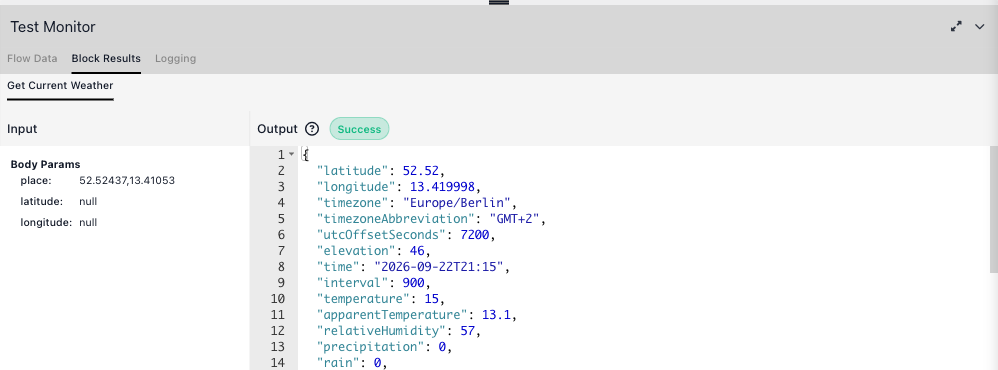
That is the extension running in your workspace.
What to try next
- Read the result from a later block. In any block after it, open the Expression Editor, choose Get Current Weather Result under Block Data, and pick a property; the result is flat, so Get Current Weather Result → temperature is the temperature. Actions covers what an action can return.
- Ask for more. Follow-ups work the same way: "add an action for the seven-day forecast", "add a temperature unit parameter". Ask for a trigger where the API supports one - Triggers.
- Read what it wrote. Service Structure explains every part of the module, Parameters & Types the fields it chose, Dictionaries the dropdown.
- Run the tests it wrote and add your own - Testing.
- Change it and deploy again. Every later change is a request to Claude Code, or an edit of your own,
followed by
npx flowrunner deploy; an editor that is already open picks the new version up on its own. Versions, rollback and what a deploy does - Deploying & Managing. - When something fails - Troubleshooting.
Related
- The FlowRunner CLI - every command and flag, including
init-claude - Quick Start: Your First Extension (code) - the same end state, written by hand