Quick Start: Your First Extension (code)
When you finish this page, a block of your own, Get Movie Details, sits in the block palette of every flow in your workspace and fetches a film from The Movie Database. You paste one file and run four CLI commands. If you would rather describe the service and let Claude Code write it, take Quick Start: Your First Extension (with AI).
What you need
- Node.js and npm. Node 20 or newer.
- A FlowRunner™ workspace you can sign in to.
- A TMDB API key. It is free: create an account at themoviedb.org, open Settings, choose API, and copy the value labelled API Key, a 32-character string. The longer API Read Access Token on the same page is not the one this service uses.
What you are building
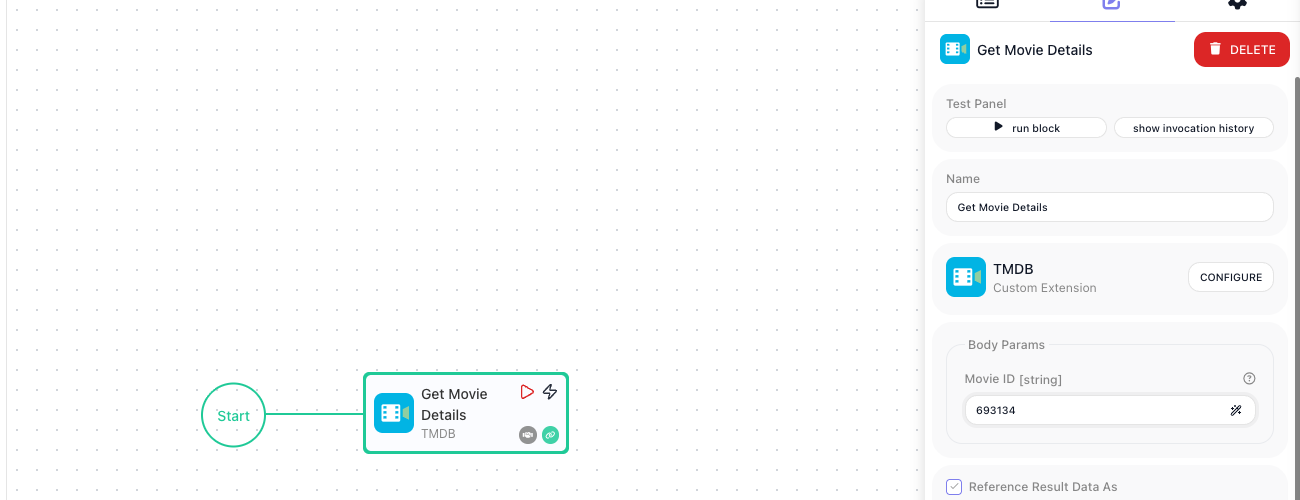
One action, Get Movie Details, that takes a movie id and returns what TMDB holds about the film. It lives in a project on your machine, and once deployed it is a block wired after Start like any other:
1. Create the project
Open a terminal and enter the following command:
The package is @flowrunner/cli; the command it installs is flowrunner, inside the project, which is why
every later command starts with npx flowrunner. If init offers to install the command globally, either
answer works - see The FlowRunner CLI.
2. Connect it to your workspace
Run the following command:
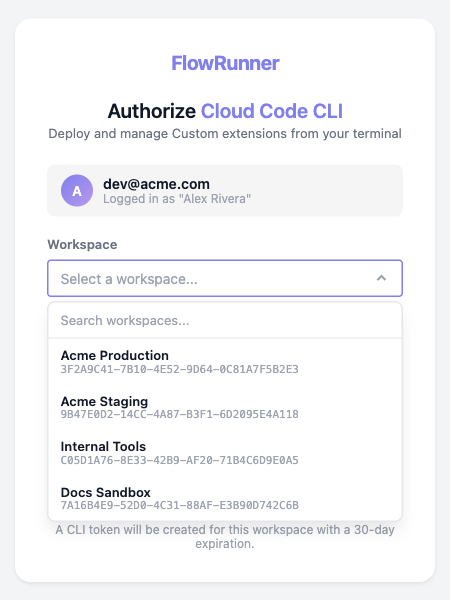
Your browser opens on a page headed Authorize Cloud Code CLI. Pick the workspace this project will deploy to and choose Authorize:
3. Scaffold the service
Run the following command:
It creates services/tmdb/ with a src/index.js to fill in and a placeholder public/icon.svg, then offers
to deploy. Answer n; there is nothing to deploy yet.
4. Paste the extension code
Replace services/tmdb/src/index.js with this:
const z = Flowrunner.z

const API_BASE_URL = 'https://api.themoviedb.org/3'

const ext = Flowrunner.createExtension({
  id         : 'tmdb',
  name       : 'TMDB',
  description: 'Look up movies and TV from The Movie Database.',
  logo       : '/icon.svg',

  configItems: z.object({
    apiKey: z.string().secret().label('API Key').describe('Your TMDB v3 API key, from Settings -> API'),
  }),

  initContext: ({ config }) => ({
    baseUrl: API_BASE_URL,
    apiKey : config.apiKey,
  }),

  apiRequest: async ({ url, query, context }) => {
    return Flowrunner.Request.get(`${ context.baseUrl }${ url }`)
      .query({ ...query, api_key: context.apiKey })
  },
})

ext.addAction({
  category   : 'TMDB',
  id         : 'getMovieDetails',
  label      : 'Get Movie Details',
  description: 'Returns everything TMDB holds about one movie.',
  params     : z.object({
    movieId: z.string().label('Movie ID').describe('TMDB numeric id, e.g. 693134'),
  }),
  result: {
    id          : 693134,
    title       : 'Dune: Part Two',
    tagline     : 'Long live the fighters.',
    release_date: '2024-02-27',
    runtime     : 167,
    vote_average: 8.133,
    genres      : [{ id: 878, name: 'Science Fiction' }, { id: 12, name: 'Adventure' }],
  },
  execute: async ({ params, apiRequest }) => {
    return apiRequest({ url: `/movie/${ params.movieId }` })
  },
})
What each part does:
configItemsis the form you fill in once on the extension's page in the workspace (step 6); the values arrive asconfig, so the key is never written into the file..secret()masks it on that form.apiRequestis the one place HTTP happens, so every action sends the key the same way.addActionis the block:labelis its name in the editor,paramsare its fields,resultis a sample of what it returns.
5. Deploy it
Run the following command:
Deploying custom extensions...

  Connecting to Flowrunner Prod cluster (https://app.flowrunner.ai)
  Workspace "Acme Production" (3F2A9C41-7B10-4E52-9D64-0C81A7F5B2E3)
  Found 1 service under services/.

  Deploying 1 service:
    - new service: tmdb (TMDB) - [13cc36e0841e] - packaged 3.1 KB

  Deployed 1 service to workspace "Acme Production" (3F2A9C41-7B10-4E52-9D64-0C81A7F5B2E3) — you can use it in a flow.
  Open Custom Extensions screen in the Flowrunner Console to configure it: https://app.flowrunner.ai/app/Acme%20Production/custom-extensions
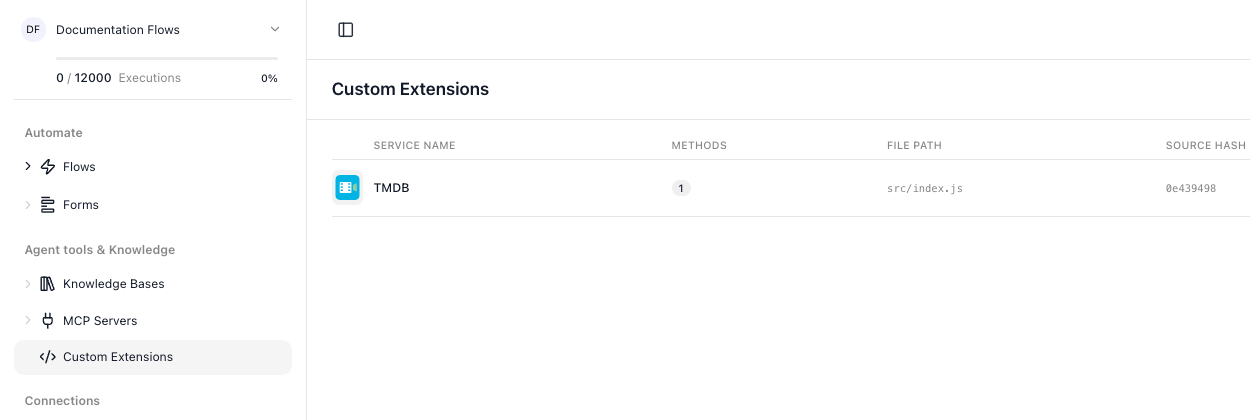
The extension is now listed under Custom Extensions in the workspace navigation:
6. Give the workspace your TMDB key
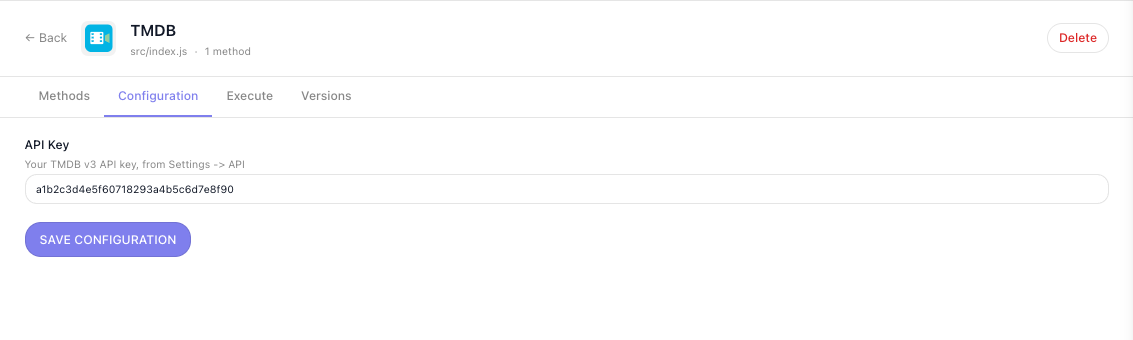
Click the extension, open its Configuration tab, paste your TMDB key into API Key and click Save.
The field is masked because of .secret(), and the description you gave it sits behind the question mark
beside the label. This is done once per workspace, and a new deploy keeps the value:
7. Run it by hand
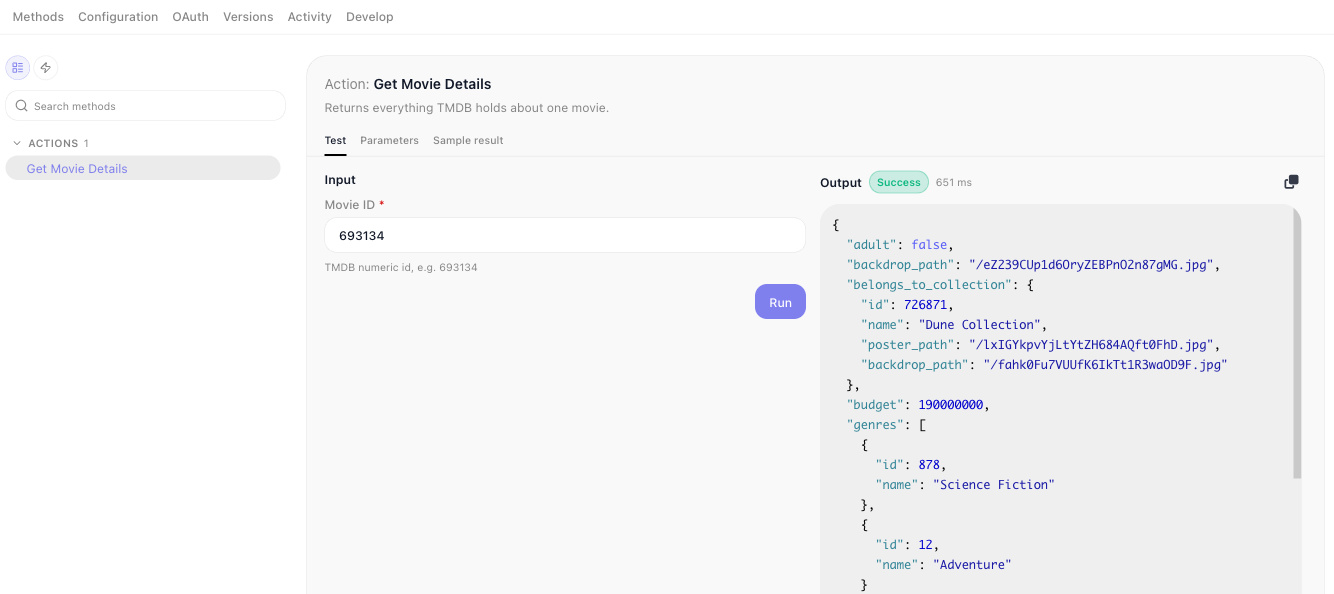
The Methods tab runs the action with a value you type. Pick Get Movie Details in the list on the left;
its Test sub-tab opens. Enter 693134 in Movie ID and click Run. The Output column shows what
TMDB returned:
8. Add the block to a flow
Open a flow, or create one, and type movie into the palette's Search box. Your action sits under
Custom Extensions, in the TMDB group:
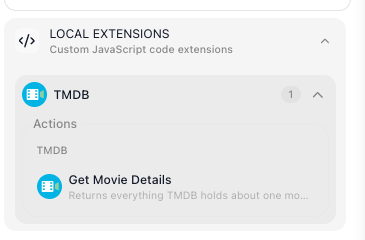
Drag it onto the canvas after Start and set Movie ID to 693134.
9. Run it in the flow
Choose run block in the Test Panel. The Test Monitor shows what you sent and what TMDB returned:
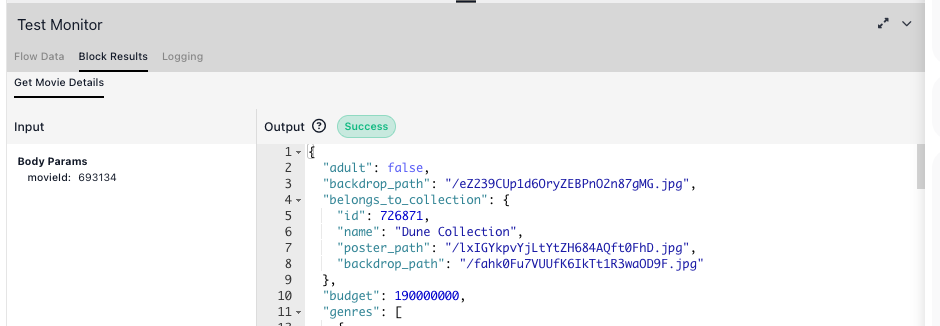
That is the extension running in your workspace.
What to try next
-
Read the result from a later block. In any block after it, open the Expression Editor and choose Get Movie Details Result under Block Data. After the run in step 9 it lists everything TMDB returned. Double-click
titleand the expression reads Get Movie Details Result → title, which givesDune: Part Two: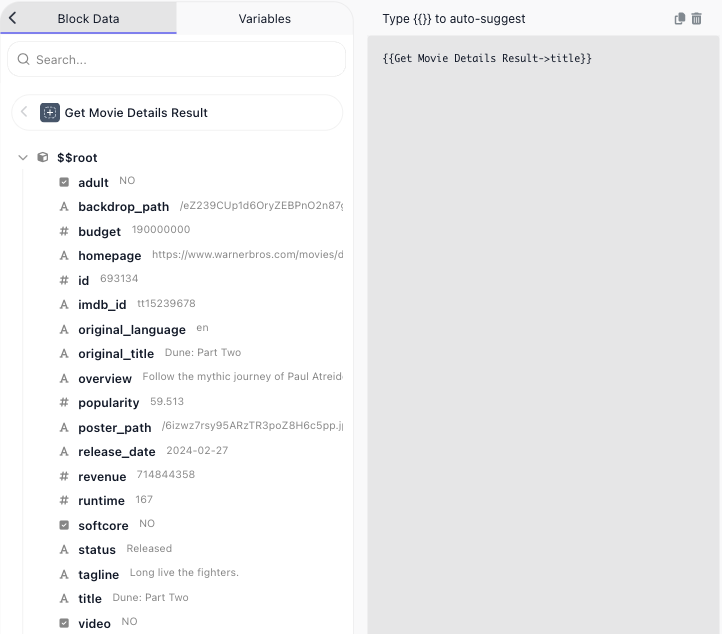
-
Add a second action with another
addActioncall - Actions. - Add a trigger that watches TMDB for new releases and starts a run - Triggers.
- Test it without deploying. The project has a test harness that runs the extension with HTTP intercepted - Testing.
- Change it and deploy again. Every later change is
npx flowrunner deploy; an editor that is already open picks the new version up on its own. Versions, rollback and what a deploy does - Deploying & Managing. - When something fails - Troubleshooting.
Related
- The FlowRunner CLI - every command and flag
- Service Structure -
createExtensionin full: config,initContext,apiRequest - Parameters & Types - every field type a param or config item can have