OAuth Connections
When a flow reads your Google Sheet, sends mail from your Gmail account or posts an invoice to Xero, it acts as your account on that service. You sign in to the service once and grant FlowRunner™ permission, and every flow in the workspace can then use that account.1 The stored sign-in is an OAuth connection: one account on one service. OAuth Connections is the screen where you see every connection in the workspace, see which flows use each one, reconnect one whose sign-in has expired, and remove the ones you no longer want FlowRunner to use.
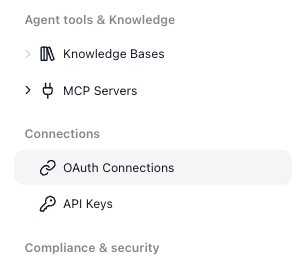
Where connections come from
Most connections are made from inside a flow, at the block that needs one. Every block that talks to an OAuth service, such as a Gmail, Google Sheets, or Xero action, carries an OAuth Connection field where you choose which authorized account the block should act as:
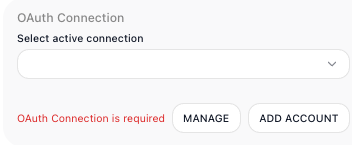
Until you pick one, the block reports OAuth Connection is required. Click ADD ACCOUNT: FlowRunner sends you to the service to sign in and approve the access the block needs, and saves the result as a connection.
Sign in once. After that you rarely sign in again. Within the same flow, the other Gmail triggers and actions pick up the connection automatically, and in every other flow in the workspace the connection is there to choose in the OAuth Connection field whenever you use the same service.
MANAGE beside the field opens the OAuth Connections screen.
Seeing what is connected
The screen answers two questions: which accounts your flows act as, and whether each one still works. Connections are grouped by service, and each service card shows how many accounts are signed in and how many flows use them, with one row per account:
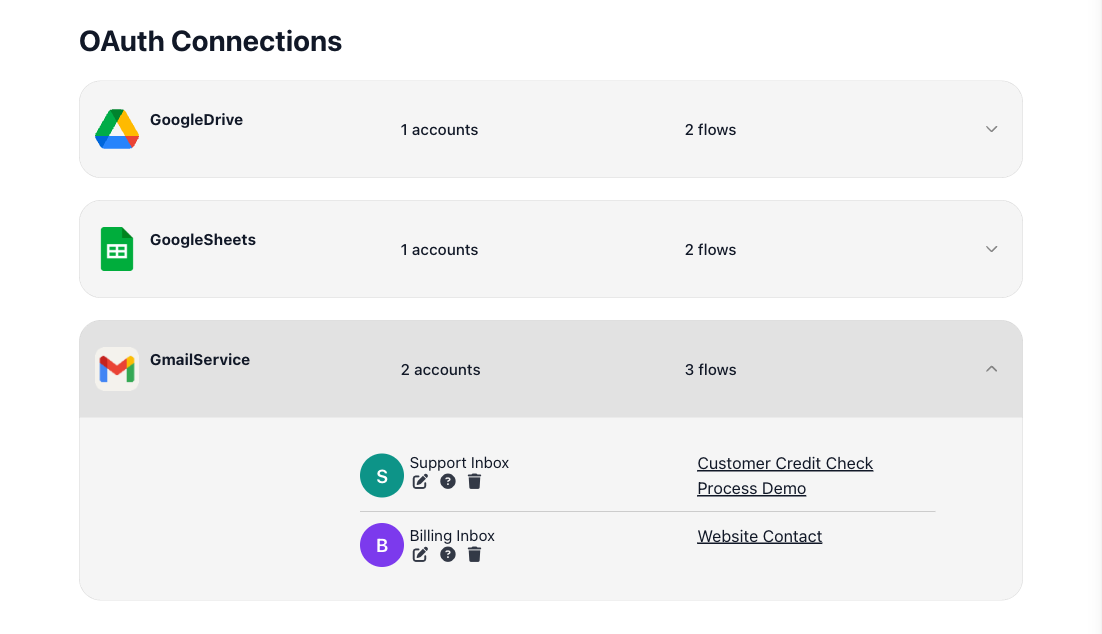
- Access token says whether the account still works. No expiry means the service issued a token that does not expire. Expired ... ago with Renews on next use means FlowRunner asks the service for a new token the next time the account is used. The screen cannot tell beforehand whether the service will agree; if it refuses, the account changes to Sign-in expired (see When a sign-in expires).
- Used in flows lists the flows that use the account. Click a flow's name to open it in the flow editor. An account no flow uses is a candidate to remove.
- The filters at the top narrow the list to built-in extensions or your own custom extensions, and to accounts that are used or not used in flows. The search box at the top of the screen finds an account by the service, the account name or email, or the name of a flow that uses it.
Managing a connection
To give the workspace another account on a service, such as a second Gmail address, click Add Login on that service's card. It opens the service's own sign-in page.
Every account row ends in four icons. Hover one to see its name:
- Reconnect (circling arrows) - sign in to the service again for this connection. This is the fix for an expired sign-in (see When a sign-in expires).
- Rename (pencil) - give the connection a clearer label than the account name.
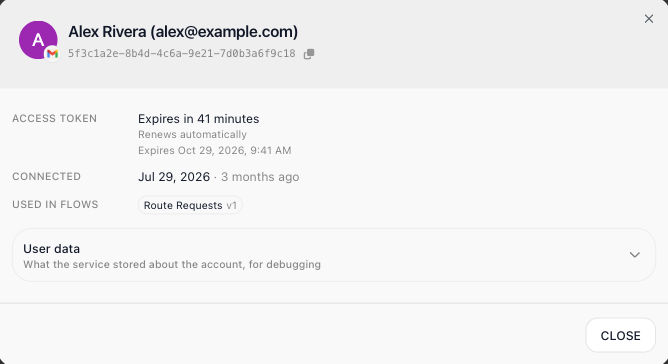
- Account info (the i icon) - show the access token's state and expiry, when the account was connected, the flows and versions that use it, the connection's ID for support, and User data, what the service stored about the account.
- Delete (trash can) - remove the connection.
Deleting a connection removes it from every flow that uses it, and it cannot be undone. Check Used in flows before you delete one: each of those blocks then needs another account.
When a sign-in expires
FlowRunner renews an account's access token by itself, but the service can refuse to renew it. When that happens, the connection needs you to sign in again:
- A block that uses the account fails with The access token of the Gmail connection "..." cannot be renewed. Reconnect it in the block's OAuth Connection settings or on the OAuth Connections screen.
- On this screen the account shows Sign-in expired, and its service card counts it under need attention.
- In the flow editor, the block's OAuth Connection field shows
OAuth Connection sign-in expired — reconnect it, and a RECONNECT button appears beside MANAGE and ADD ACCOUNT. The flow version shows Not Ready in the editor's toolbar, so it cannot be started until the account is reconnected. - The workspace team gets a notification, in the bell and by email: Connection "..." needs to be reconnected, with a link to this screen (see Notifications). It comes at most once an hour for the same connection.
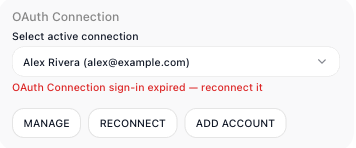
To fix it, click RECONNECT on the block, or Reconnect on the account's row on this screen, and sign in to the service with the same account. The connection is updated in place, so the flows that use it work again without any change to their blocks. FlowRunner also keeps trying to renew the token each time the account is used, so a connection can recover by itself when the service accepts the renewal again.
Related
- API Keys - the workspace's other credential store, for the keys that AI blocks and outside services use
- Notifications - the message the workspace team gets when a sign-in expires
- Compliance & Security - the activity logs, panic mode, and the rest of the workspace's access controls