Flows as Agent Tools
An AI Agent can use your own flows as tools - as many as a task needs. From a short description you write on each flow, the agent decides on its own when to call it and what to pass, then uses whatever the flow returns. Because the agent runs the whole flow and waits for the result, a flow tool can do real work a single model call cannot - including waiting on a person.
How it works
Attaching a flow hands the agent that flow as one more tool it can choose to call. You add it the same way you add any tool: open Manage Capabilities on the agent, go to Flows, and add the flow. Add as many as the work needs.
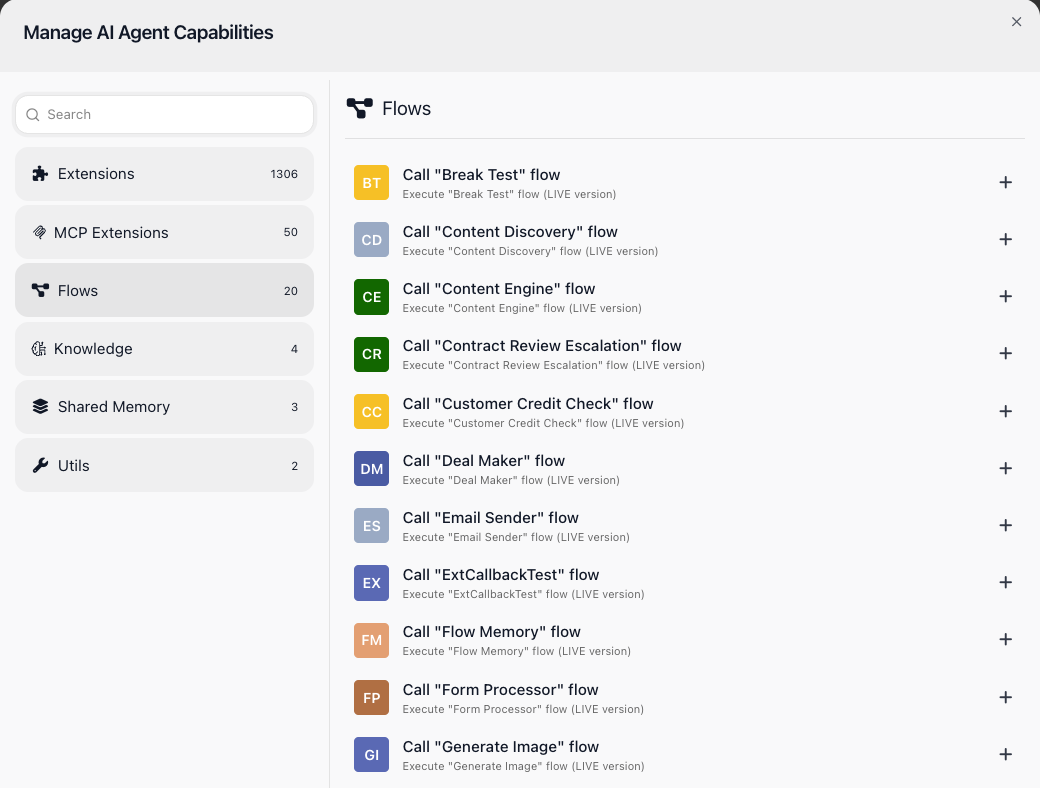
The agent runs whatever the flow's current LIVE version is - which is what the "Execute ... flow (LIVE version)" line on each entry means. A flow you have built but not yet set LIVE will not do anything when the agent calls it.
The agent never sees the flow's inner blocks. It decides whether to call a flow, and what to pass, from two descriptions you write on the flow's own Flow Settings panel:
- Flow Description - one line on what the flow does. For a flow that answers support questions: "Answers a customer's support question using their recent orders and the help articles, then returns the answer."
- Initial Data Description - what each input means, one entry per input the flow takes. Here, the input "question" is described as "The customer's support question, in their own words."
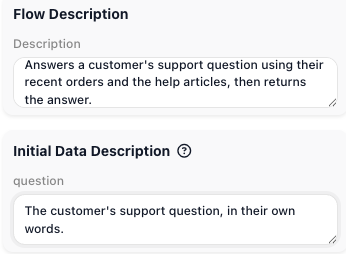
Any agent that picks up the flow reads these descriptions. Thin or missing ones leave the agent guessing - it may call the flow at the wrong moment, pass the wrong value, or skip it. Clear descriptions are what make a flow a dependable tool.
When the agent calls the flow, FlowRunner™ starts a run of it and the agent waits. The inputs the agent supplied arrive as the run's Initial Data, one field per input you described, so the flow reads them the way it reads any input - the "question" input as Initial Data → question. The flow does its work and hands a result back through its Return Result block, whose Compose Result rows shape what it returns. The agent folds that result into its reasoning and carries on toward its goal.
The waiting is what a one-shot tool cannot do. The agent stays suspended for as long as the flow runs. A quick lookup is back in a moment; a flow that waits - on an approval, a reply from an outside system, a person - keeps the agent suspended with it, for minutes, hours, or days1. The agent resumes the instant the flow returns.
When to use it
Reach for a flow tool when the agent needs work you have already built as a flow, or work that is more than a single model call can do: a lookup against your own data, a multi-step process with branches, an action that waits on the outside world. When a one-shot built-in action is all you need, attach that instead. And when you want one flow to call another directly - with no agent deciding when - use Call Flow instead of a flow tool.
Putting a human in the loop
A flow tool is how an agent waits for a person without parking the rest of your automation. Build a flow that gets a human decision - send an email, or a Slack, Telegram, or WhatsApp message with an approve/decline choice, or open a task for a reviewer - and then waits for the answer. The answer usually comes back the way the request went out: as a trigger (the person's reply email or chat message) or through an External Callback. Describe the flow by what it achieves - for example "get a manager's approval for a refund over $100" - with an input described as "the refund amount and the reason".
When the agent decides it needs sign-off, it calls the flow and suspends. The request goes out, and the agent waits - an hour, a day, however long the person takes. It does not poll and does not give up; it is parked until the flow returns. The moment the person responds, the agent wakes up and acts on the decision: issue the refund, or decline and explain why. The judgment stays with the person; the agent handles everything around it.
Related
-
How long an agent can stay suspended while a flow tool waits depends on your FlowRunner pricing plan; longer waiting periods require a plan that supports them. ↩