Placeholders
A flow you hand to someone else has to say what it needs from whoever sets it up. In FlowRunner™ you declare each of those settings on the flow version as a placeholder - a name, a type and a description - and any field that needs the setting reads it from that one list.
Take a support flow that triages incoming tickets. The ticket differs every run, arriving with the run as
Initial Data or on the trigger block that started the run. How urgent a ticket has to be before it is
escalated, and the webhook its summary is posted to, are the same on every run and different for every
team that adopts the flow. Those two are its placeholders - escalateAbove and notifyWebhook.
This is also how a flow published to the Flow Catalog will state its configuration: whoever installs it will be asked for each placeholder in turn, described in the words you wrote.
Declaring a placeholder
Placeholders belong to a flow version, and you manage them in the flow editor's Flow Settings tab - the gear at the top of the right panel - under Placeholder Data:
![The flow editor's right panel with the gear tab selected in its three-icon tab strip. Below a Flow Memory card, the Placeholder Data card lists two rows, each with a question-mark icon, a gear and a trash icon: notifyWebhook [string] set to https://hooks.example.com/triage/T29F4B1, and escalateAbove [int] set to 8. A plus sits below the list.](../../images/learn/placeholders-panel.png)
The plus below the list opens a dialog to declare a new placeholder. You give it a Name, a Data Type and a Description. The name has to be unique within the version, and the dialog will not save without one. The gear beside a saved row reopens the same dialog, where you can change the name and the type:
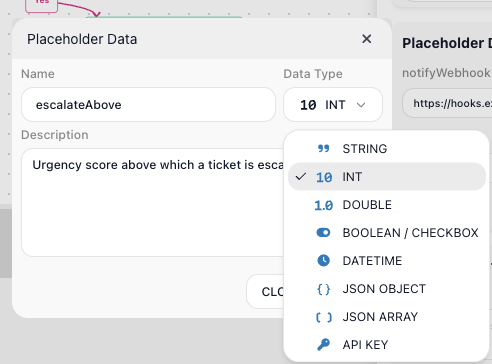
The Data Type decides how you enter the value, and each saved placeholder shows its type next to its name in the list:
| Data Type | How you enter the value | Shown in the list as |
|---|---|---|
| STRING | Type it into a text box | [string] |
| INT | Type it into a number box | [int] |
| DOUBLE | Type it into a number box | [double] |
| BOOLEAN / CHECKBOX | Pick Yes or No | [boolean] |
| DATETIME | Pick a date on a calendar, then an hour and a minute | [datetime] |
| JSON OBJECT | Type the JSON into a text box | [object] |
| JSON ARRAY | Type the JSON into a text box | [array] |
| API KEY | Pick one of the AI keys saved in the workspace | [api_key] |
API KEY draws on the workspace's API Keys and holds an AI provider key only. No block reads a key from a placeholder yet.
Write the Description even though it is optional. It shows on the question-mark beside the name, and it is the only explanation that travels with the flow. The trash removes a row, after a confirmation.
Setting a value
To give a placeholder its value, type it into the box on its row in Flow Settings. That value is what every run of this version uses.
You can also supply a value for one run without changing the version: Run Instance - the lightning icon in the toolbar - opens a Launch Flow Instance dialog with a Placeholder Data section, filled in from the version. Change a value there and that run uses it.
![A Launch Flow Instance dialog. Under Configuration Data, an Initial Data table lists the key urgency with its value box empty, and a Placeholder Data card below it holds escalateAbove[int] set to 8 and notifyWebhook[string] set to https://hooks.example.com/triage/T29F4B1.](../../images/learn/placeholders-launch-dialog.png)
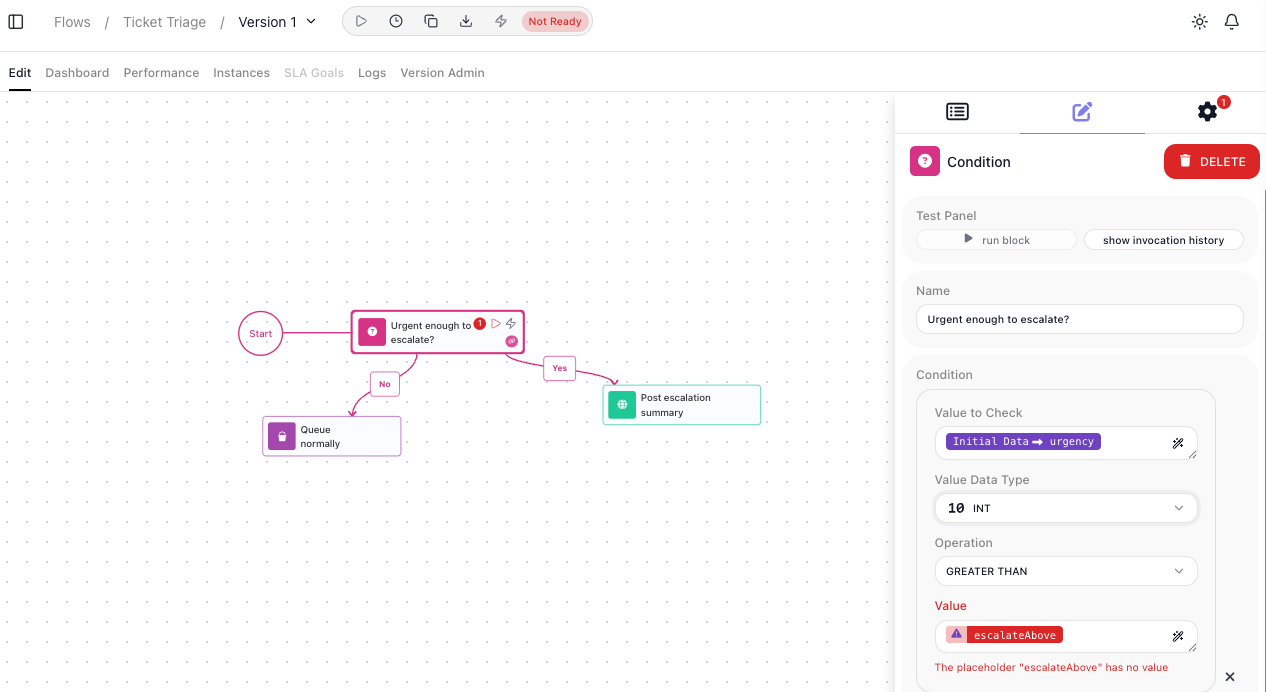
Leave a value empty and every field reading it turns red, which takes the version to Not Ready and leaves Start flow, the play control in the toolbar, disabled until every placeholder a block reads has a value:
A placeholder value is stored as you typed it. It is readable in Flow Settings, it shows in the Launch Flow Instance dialog, and it travels in the export file, so anyone who can open the flow can read it.
Reading a placeholder in a flow
Every placeholder you declare appears as a pill in the Expression Editor, in a Placeholder Data group of its own:
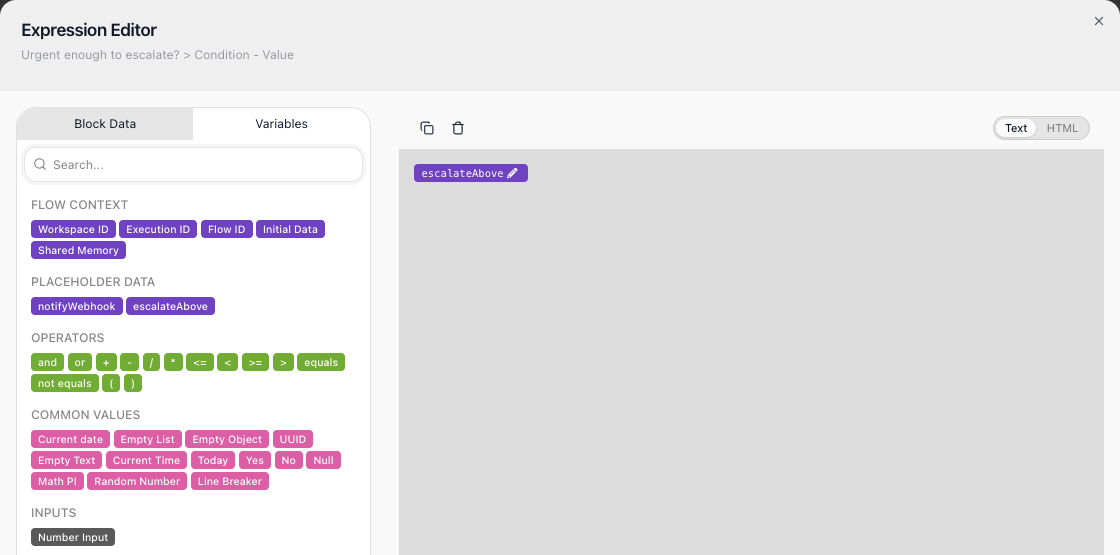
Pick the pill and the field reads that placeholder. Here the Condition compares each ticket's urgency against escalateAbove - the INT placeholder declared earlier - and the Post escalation summary step (HTTP Request) posts to notifyWebhook:
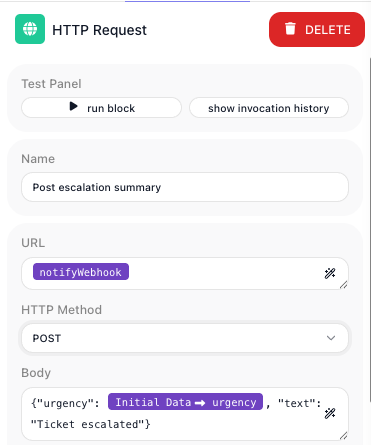
The field holds a reference, not a copy of the value, so changing the value in Flow Settings reaches every field that reads it and no block has to be reopened. Nothing writes back the other way: a value that has to change while a run works is a Data Bucket variable.
Renaming or removing a placeholder breaks the fields that read it
Both leave every field that read the placeholder flagged with "The placeholder data item is not available", an error marker on the block, and the version back to Not Ready:
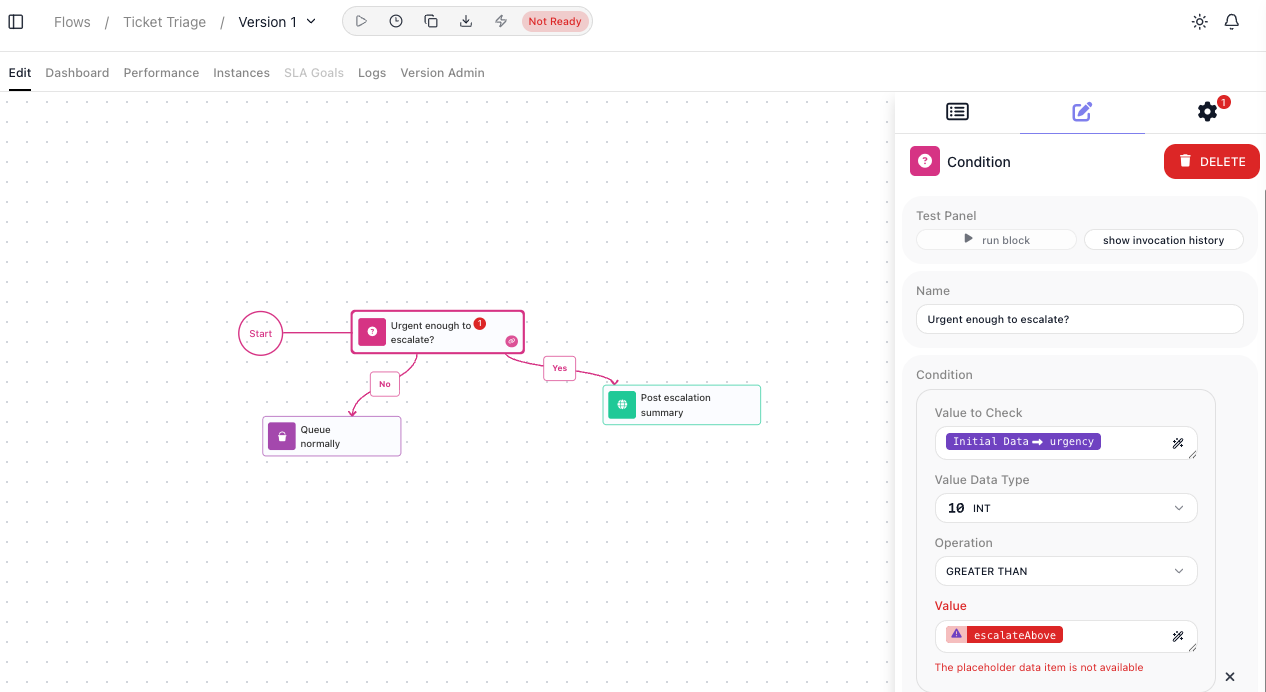
The fields do not re-point themselves
A block's default result alias follows the block when you rename it, and the steps reading it
re-point themselves. A placeholder does not: rename escalateAbove to escalationFloor and the
Condition still asks for escalateAbove. You have to
repoint every field yourself, so name a placeholder before you start binding it.
Deleting is the one with a way back. Declare a placeholder with the same name again and those fields re-point to it - they then ask for a value. What does not come back is the value and the description you had.
Changing a value on a LIVE version
Open a LIVE version in the editor and it opens read-only, in view mode: there is no right-hand tab strip, so Flow Settings is not there and its values cannot be changed while it stays LIVE.
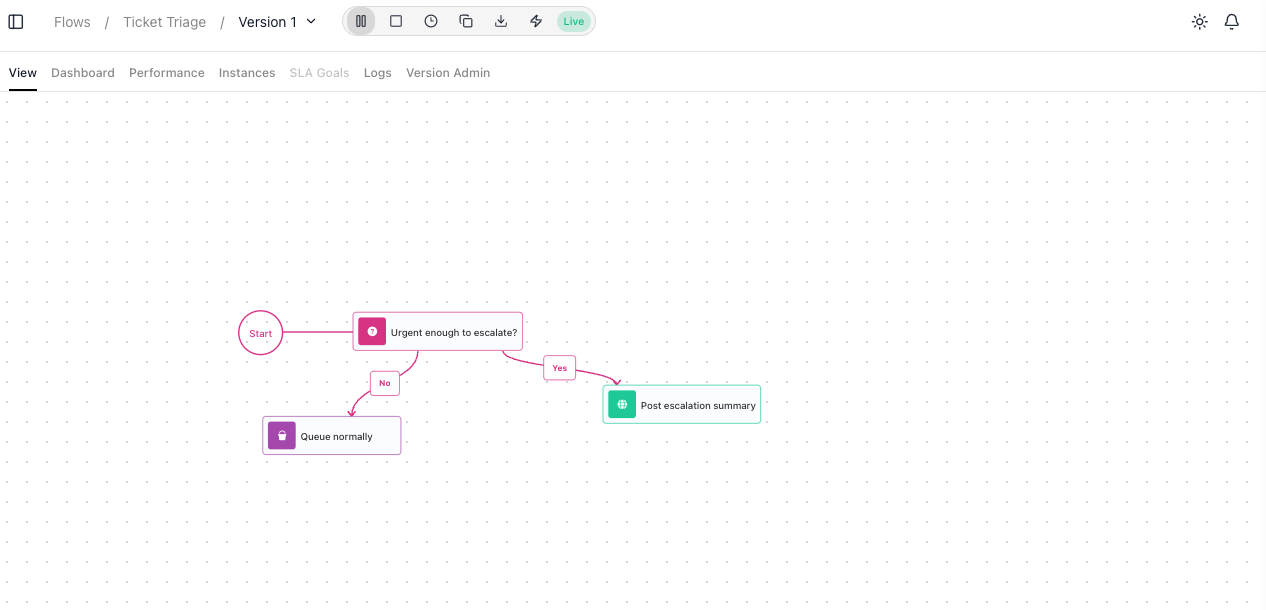
Only one version is LIVE at a time, so there are two ways to change a value. Stop the version and it comes back as an editable draft, but nothing runs while it is down. Or clone it, change the value on the copy and start the copy: the copy takes over and the original steps aside, so the automation never stops. Running Flows covers both controls. A clone carries the declarations and their values, so the copy already holds the configuration you had.
Placeholders are not shared between flows
A second flow declares its own placeholders. Where one flow calls another, a Call Flow step can pass the value in as Initial Data, and the called flow reads it there instead of declaring its own.
A copy arrives with your values in it
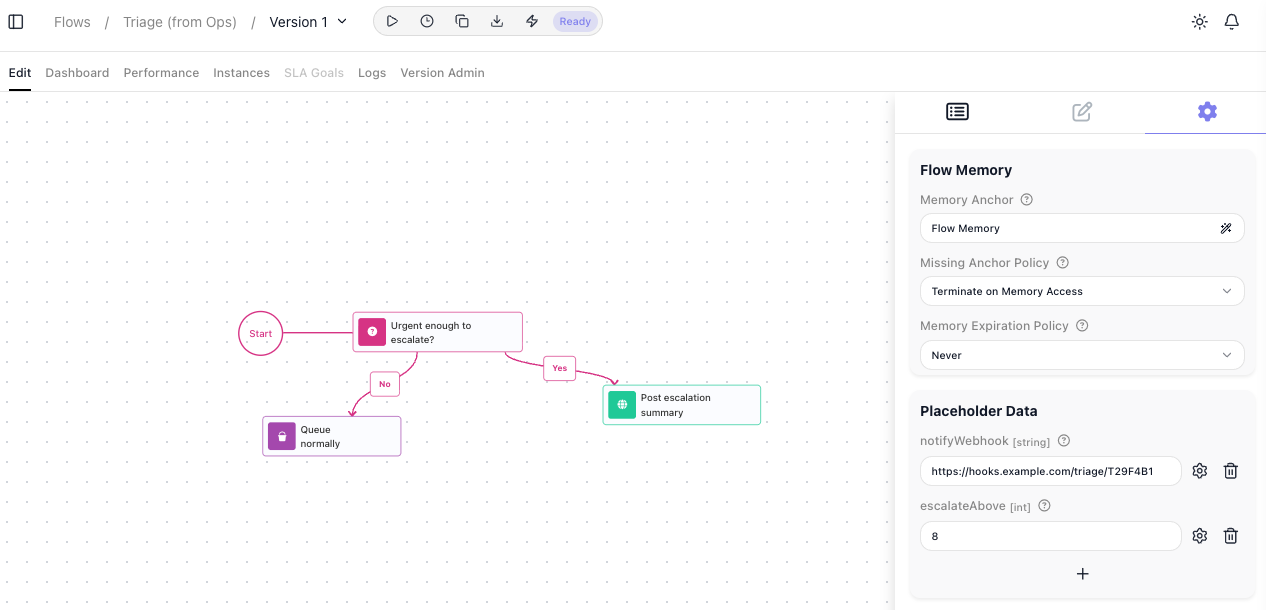
A flow travels by being exported to a file and imported somewhere else - see Flows - and the placeholder values travel with it. The imported copy already holds the values the author had, so the first thing to do with a flow you receive is work down the list and replace them with your own:
Replace live values before you export
A webhook URL is live, and anyone holding the export file can post to it. Clone the version, put stand-ins on the clone, export the clone and delete it, so the version you actually run is untouched. Say in the Description what has to be replaced.
Related
- Variables and Data Buckets - values that change while a run works
- Shared Memory - values that outlive a single run
- Expressions - how a field reads a placeholder, and what else it can read
- API Keys - the workspace store an API KEY placeholder draws on
- Flows - versions, cloning, export and import
- Running Flows - starting, pausing and stopping a version