Start Scheduled Runs
Switch another flow's schedule back on from inside a flow, so its scheduled runs start firing again without a person flipping the toggle. Paired with Stop Scheduled Runs, it lets you automate a whole pause-and-resume cycle - hold a scheduled flow during a maintenance window, then bring it back on its own.
How it works
You find this block in the Actions palette. A flow's schedule has two separate parts: the schedule itself - how often the flow should run, defined once on the target flow - and whether that schedule is currently active. This block touches only the second part. It finds the schedule that already exists on the flow you name in its Flow field and switches it back to active, so the platform starts creating a new instance each time the schedule comes due again. It does not set, change, or read the timing; if the target flow has no schedule at all, there is nothing for it to turn on. The block hands back only an acknowledgement that the start was carried out - there is no schedule data or run detail in it worth reading, so you confirm the resume by watching the target flow's runs rather than by consuming this block's result.
When to use it
Reach for it when one flow needs to switch another flow's scheduled runs back on without a person doing it by hand. A common shape is an operator flow that pauses a scheduled flow for a maintenance window with Stop Scheduled Runs, waits, and then resumes it with this block - so the pause-and-resume happens automatically on its own timer. It is the programmatic equivalent of toggling the schedule on yourself, which is the better choice when a person is right there and only needs to do it once.
Example
Suppose you run a flow called Nightly Report Export on a schedule - it runs every night and emails a report. During a database migration you need it to stay quiet for an hour, then pick its schedule back up on its own. You build a small operator flow to do that.
The operator flow does three things in sequence. First a Stop Scheduled Runs block, with Nightly Report Export chosen in its Flow field, halts its scheduled runs so no report goes out during the migration. Next a Wait block holds for the length of the maintenance window. Finally a Start Scheduled Runs block, with the same Nightly Report Export flow in its Flow field, turns its schedule back on:
1. Stop Scheduled Runs    Flow: Nightly Report Export    (schedule paused)
2. Wait                   1 hour                         (maintenance window)
3. Start Scheduled Runs   Flow: Nightly Report Export    (schedule resumed)
The payoff: from the moment the Start Scheduled Runs block runs, Nightly Report Export is scheduled again, and the next nightly run creates an instance as normal. The schedule's timing was never changed - it was only switched off and back on. The block itself returns nothing but an acknowledgement, so it is not something you read to verify the resume; instead you confirm it on the target flow, watching its Instances tab for the next scheduled run to appear.
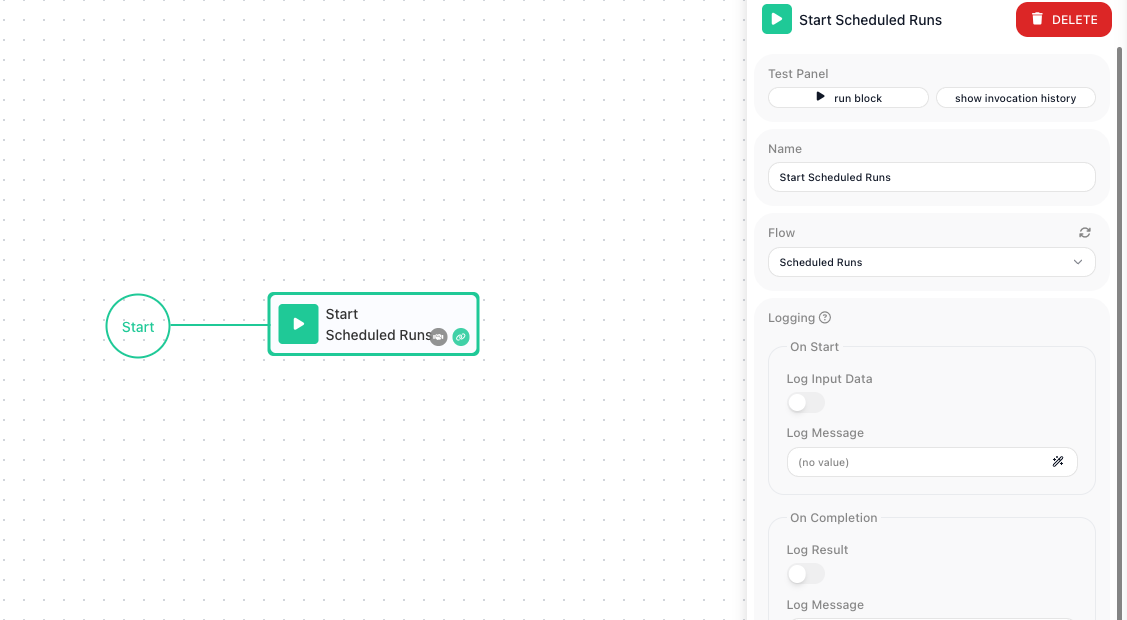
Configuration
| Field | Description |
|---|---|
| Flow | Required. The flow whose scheduled runs you want to turn back on. The dropdown offers the flows that have a schedule; when no flow in the workspace has one it is disabled, with a tooltip saying so. |
Common settings (available on most blocks):
| Field | Description |
|---|---|
| Name | A label for this block on the canvas. |
| Reference Result Data As | The alias used to reference this block's result in later blocks. |
| Assign to a Variable | Optionally store the result in a Data Bucket variable too; you choose the bucket and the variable name. |
| Logging | What to log to the Logging panel while the flow is LIVE, both on start and on completion. |
| Notes | Freeform notes for documenting the block; they do not affect execution. |
Things to watch for
- The target flow has to already have a schedule defined on it. This block only turns an existing schedule back on - it does not create one, so if the flow was never scheduled there is nothing here to start.
- Defining a flow's schedule and turning that schedule on or off are two different things. The schedule (how often the flow runs) is set up separately on the flow itself; this block controls whether that schedule is active. Use it to resume scheduled runs, not to set their timing.